Running on SaaS for years: how will AI agents change your workflows?
TMI Soft team, AI FDE Engineer8 min read
Quick summary
With AI agents, businesses running on SaaS do not need to drop those applications, but they do need to redesign their workflows. The reason: today’s processes are built around the screens of each application, with people as the glue (exporting to Excel, copying data, messaging each other). AI agents can do exactly that connecting work. SaaS will step back to hold data and rules, AI will do the operating, and people will keep approval and decisions. Per-user licensing is changing along with it.
Key takeaways
- Processes on SaaS are usually designed around each application’s screens, with people as the glue between applications
- AI agents do not replace SaaS; they replace the operating work: reading, matching and copying data across applications
- SaaS stays as the home of data and rules; people move to approving exceptions and making decisions
- Software pricing is shifting from per user to a mix with the volume of AI work; review contracts at renewal
- Start with one process that spans several applications, pilot it with human review, measure, then expand
Many businesses have spent years building the way they work around SaaS (software rented monthly over the internet): a CRM for customers, accounting software, HR software, a ticketing system, internal chat, and plenty of Excel files tying them together. The processes run well and staff know them by heart. When AI agents arrive, the question is: should you add AI to each tool you already use, or rethink how the processes themselves are designed?
How do processes built on SaaS actually work today?
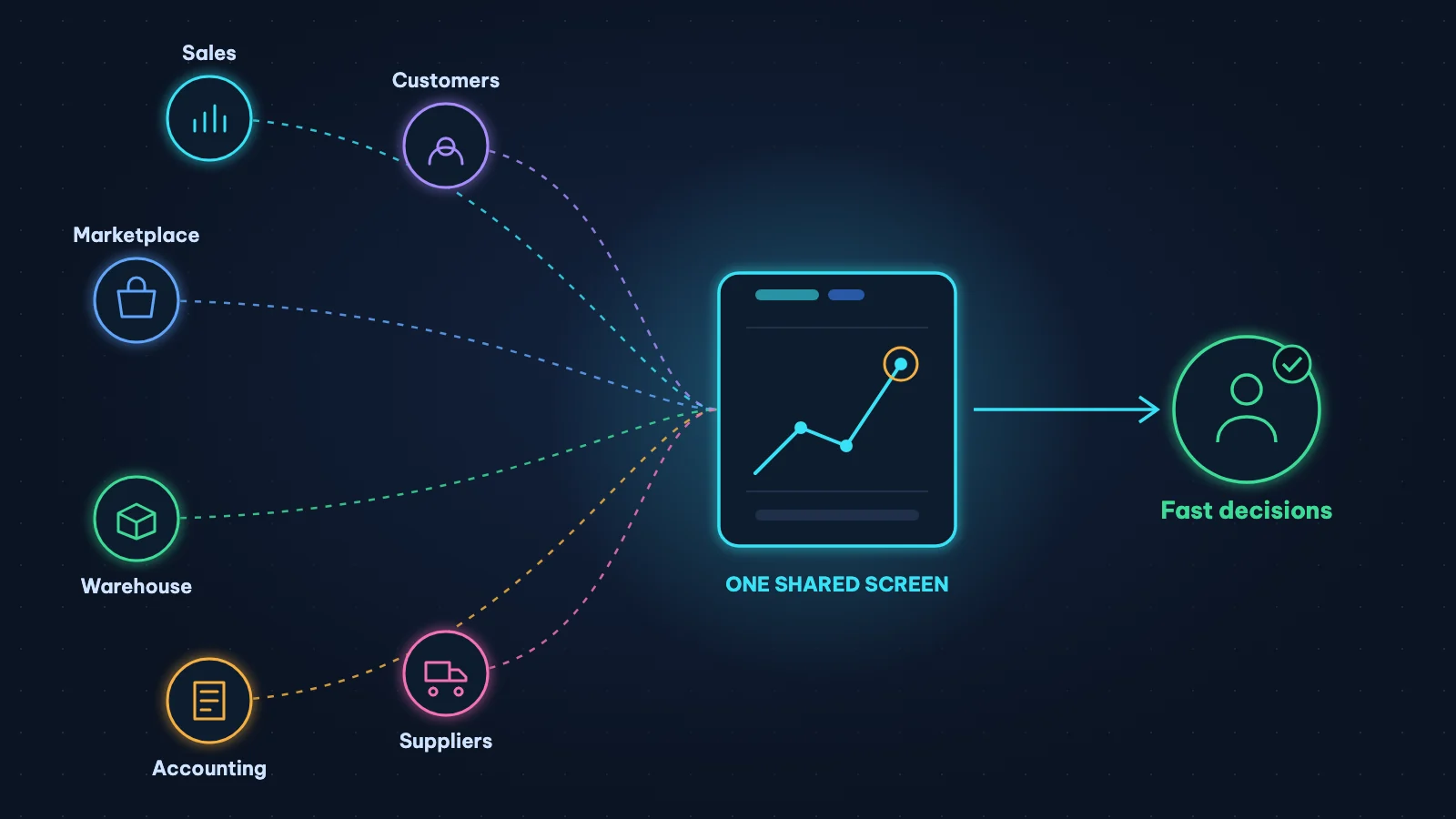
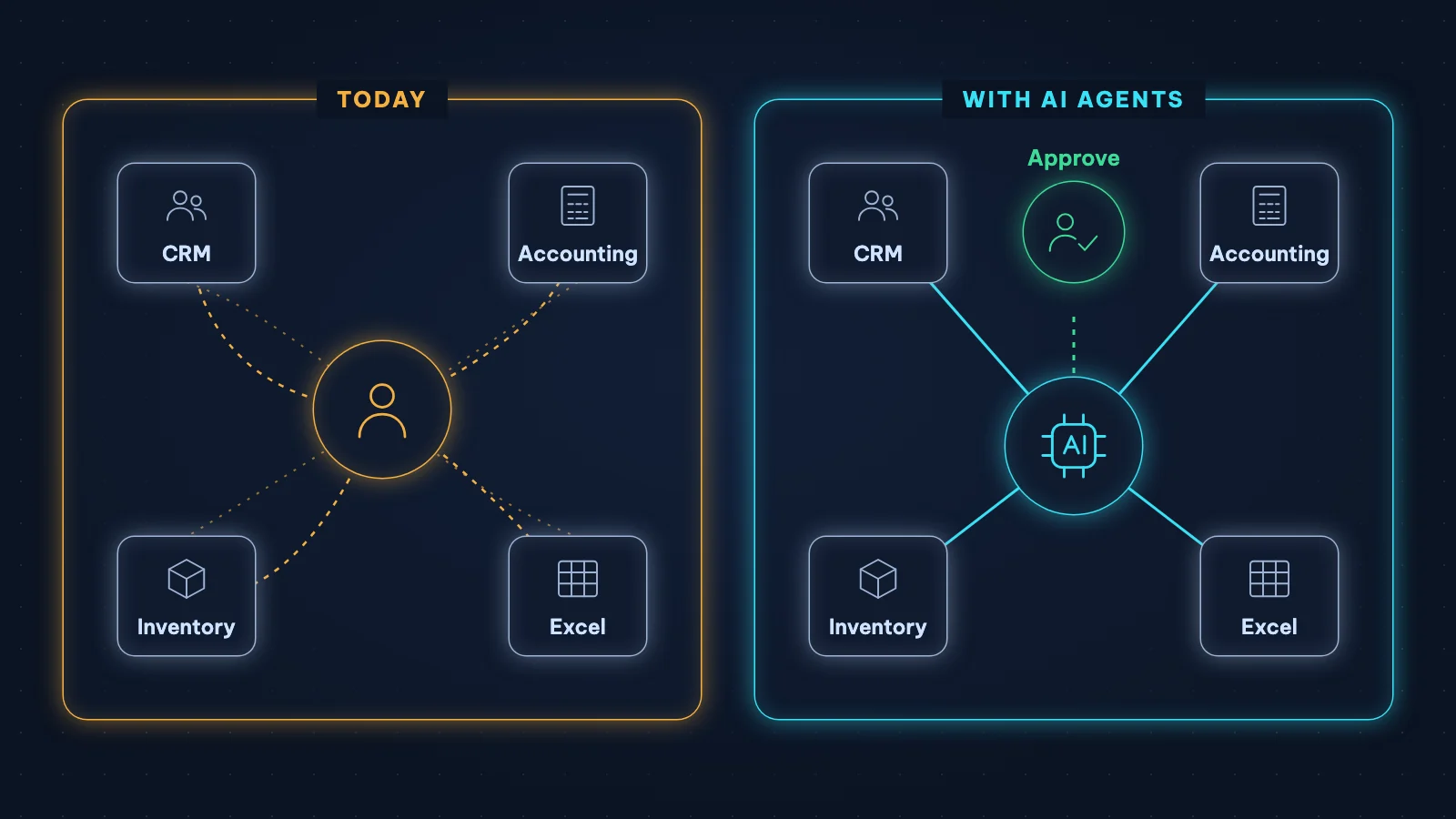
Most processes today are designed around the screens of each application, and people are the glue between the applications. Each SaaS tool is good at one thing: the CRM holds customer data, accounting holds receivables, inventory holds stock. But real work, such as handling an order or collecting a payment, usually passes through three or four different applications.
According to Zylo’s 2025 SaaS Management Index (01/2025), the average company uses about 275 SaaS applications; in large enterprises the figure is about 660. These applications often cannot talk to each other, so staff do the “gluing”:
- Exporting a report from one application to Excel and entering it again into another.
- Opening three tabs at once to check one customer.
- Sending messages and emails to tell the next team “my part is done”.
- Pulling numbers from many places into a weekly report for managers.
Many steps in a process exist only because application A cannot read the data in application B. This is exactly the part AI agents are starting to take over.
What do AI agents change about how businesses use SaaS?
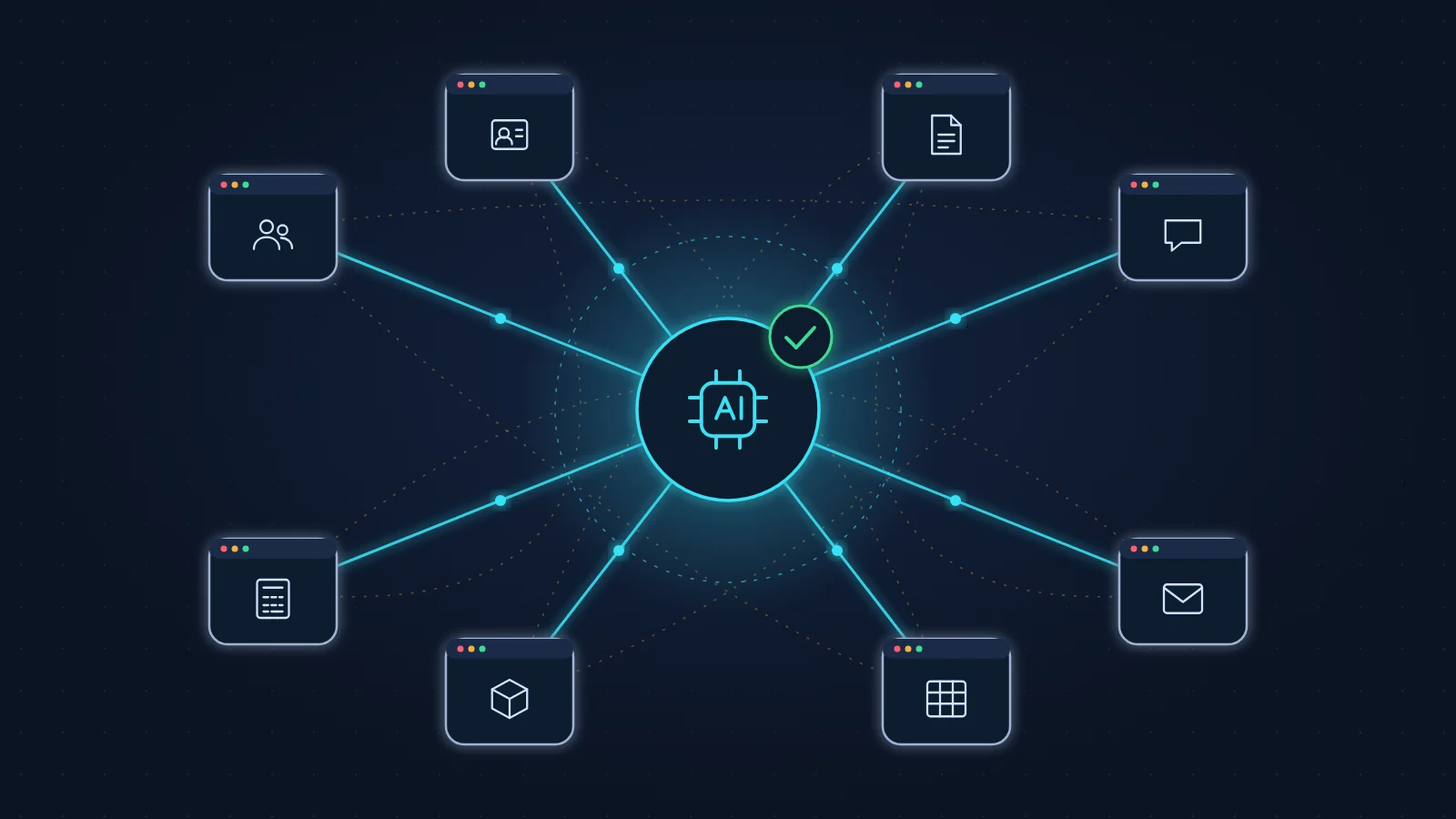
AI agents (AI assistants that can carry out work steps on their own) do not replace SaaS. They replace the person clicking through it. Instead of an employee opening each screen, the AI agent reads and writes data in the applications directly through connections (APIs), combines information from several places, and returns a result for a person to approve.
Microsoft CEO Satya Nadella said on the BG2 podcast (12/2024) that most business applications are essentially a database plus business rules, and that in the age of AI agents those business rules will gradually move into an AI layer that works across many applications (Windows Central). The phrase “SaaS is dead” used in many headlines is an interpretation, not his exact words.
Forecasts point the same way:
- Gartner (08/2025) predicts that by the end of 2026, 40% of enterprise applications will include task-specific AI agents, up from less than 5% in 2025; and by 2028, about one third of user experiences will move from application interfaces to AI agent interfaces (Gartner).
- Large SaaS vendors are opening their doors to AI themselves. For example, Salesforce made its MCP (Model Context Protocol, an open standard for connecting AI to software) servers generally available for Enterprise Edition and above in 04/2026 (Salesforce Developers).
In other words, the application screen is no longer the only place where work happens. When staff hand a task to AI in one sentence and the AI goes through the CRM, accounting and email to do it, processes designed around those screens need to be redrawn.
Will SaaS disappear?
No. SaaS remains where a company’s data and rules live; what changes is who operates it and how the company pays for it.
The market reacted strongly to this question. In late 01/2026, after Anthropic launched plugins for Claude Cowork that handle specialist work such as contract review, finance and sales, shares of many software companies fell sharply within days; analysts called it the “SaaSpocalypse” (Bloomberg). By late 02/2026, when Anthropic announced integrations with vendors such as Salesforce, Intuit and Docusign, the shares partly recovered (The Batch, DeepLearning.AI). This suggests AI and SaaS will work together, but the relationship between them has changed.
The clearest change is pricing. Traditional SaaS charges per user (per-seat licensing). When one AI agent does the work of several people, that logic starts to weaken:
- According to BCG (2025), 40% of enterprise software buyers see reducing seats as their main lever for cutting software costs (BCG).
- According to Bain (10/2025), most software vendors studied are moving to hybrid pricing: still per seat, plus a fee based on AI usage; none had switched fully to outcome-based pricing (Bain & Company).
For businesses running on SaaS, this means next year’s software contracts may differ from this year’s, and they should be reviewed at the same time as the processes are redesigned.
Redesigning processes: three layers that will shift
The easiest way to picture it is to split a process into three layers: data, operation and decision. AI does not replace all three; it mainly replaces the middle one.
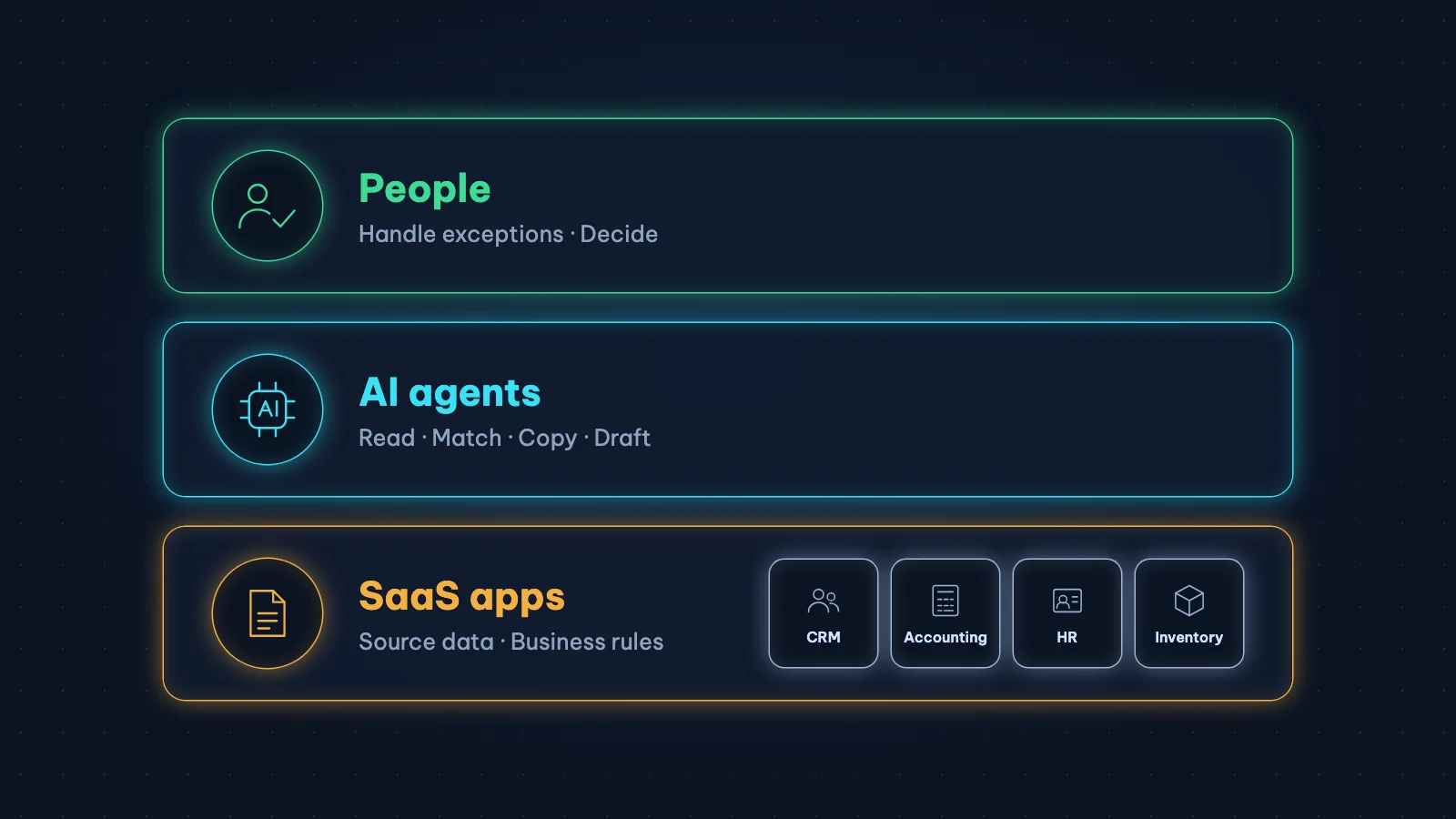
- Data layer (SaaS stays): CRM, accounting and HR remain the “source of record”. The work is to keep data clean, use the same customer and product codes across applications, and open connections for AI to read.
- Operation layer (AI does it): looking things up, matching, copying data, drafting emails, compiling reports: the work staff do today by clicking through many screens.
- Decision layer (people keep it): approving exceptions, making risky decisions, talking to customers at key moments, and owning the result.
| Aspect | Processes around SaaS today | Processes with AI agents |
|---|---|---|
| Who operates the software | Staff, screen by screen | AI agents through connections; staff review results |
| Moving data between applications | Export to Excel, copy by hand, re-enter | AI reads and writes directly |
| Role of people | Do each step | Approve exceptions and decide |
| Software cost | Per user | Per user combined with the volume of AI work |
| Measure | Tasks done per person | End-to-end process time, exception rate |
If you only add AI to each application (AI in the CRM, AI in accounting) and keep the process unchanged, each person may work a little faster, but the connecting steps between applications stay. According to McKinsey (11/2025), companies getting large value from AI are about three times as likely as others to have fundamentally redesigned their workflows (McKinsey). We look at the reasons in more depth in Why even long-running processes need to be redesigned.
Example: reconciling and chasing receivables
This is an illustrative example of a process that passes through several applications, not a specific client project.
Today: every week, the accountant exports the receivables list from the accounting software, downloads statements from online banking, and checks in Excel which customers have paid. For overdue amounts, the accountant opens the CRM to see which salesperson handles that customer, messages the salesperson, and the salesperson writes a reminder email. Each receivable passes through at least four applications and three people.
After redesign:
- An AI agent reads receivables in the accounting software and bank transactions daily, and matches the paid items automatically.
- Items it cannot match (short payments, wrong transfer notes) go to an exception list for the accountant.
- For overdue amounts, the AI checks the customer history in the CRM, drafts a reminder email for each overdue level, and sends it to the responsible salesperson to approve before sending.
- The chief accountant looks at one summary every morning instead of waiting for the weekend report.
The key point: the “export to Excel, match, message each other” steps disappear entirely rather than just running faster. The accountant moves from reconciling to handling exceptions. The accounting software and CRM stay the same, but the number of people who need to log in to each application every day may change.
How do you redesign without replacing the systems you run on?
You do not need to replace your current software. Start where people are gluing applications together, and move one process at a time.
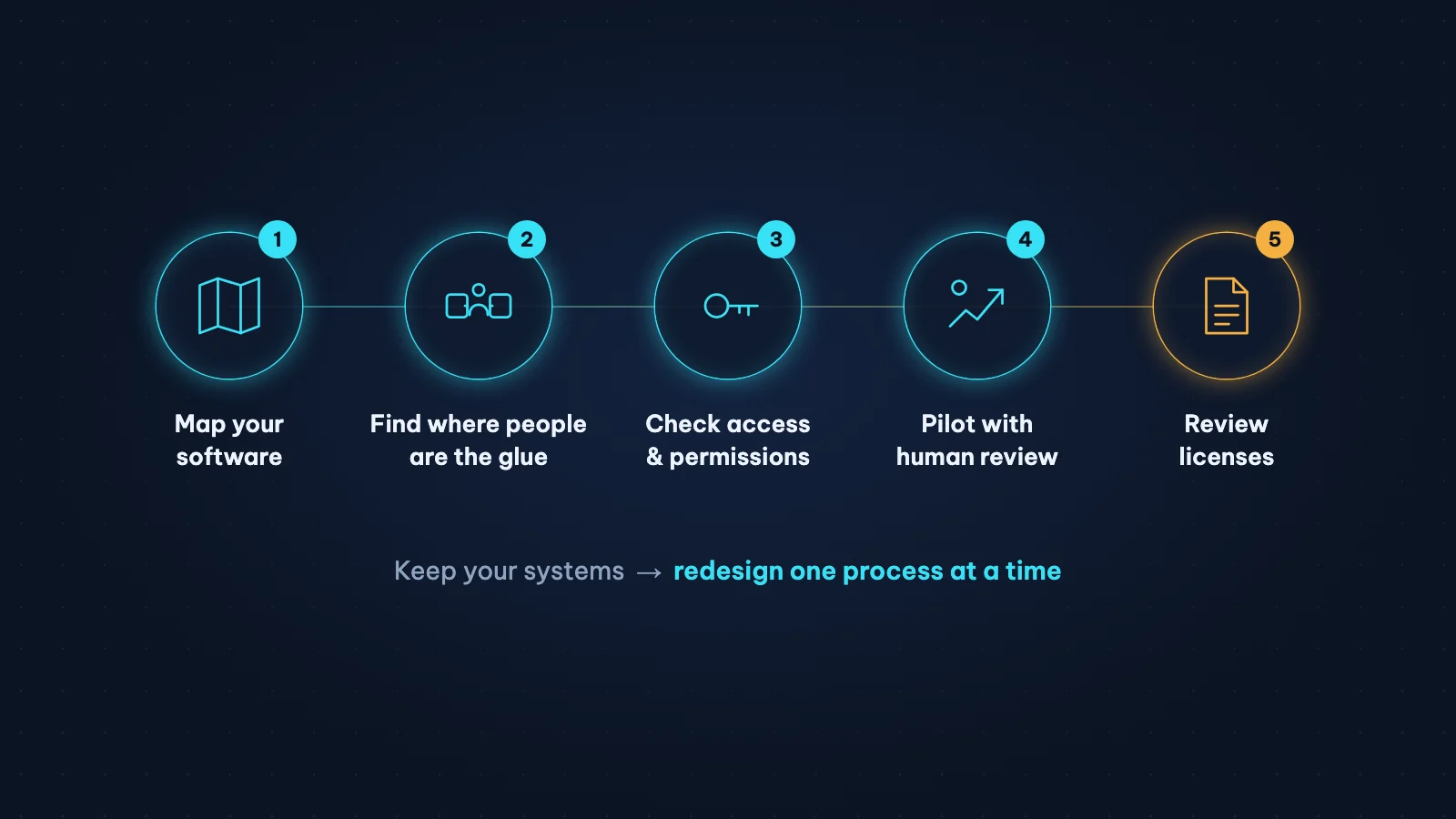
- Map your software and processes: list the SaaS applications you use and which ones an important process passes through.
- Find where people are the glue: the steps of exporting files, copying data, re-entering and messaging each other. This is where AI creates the clearest value.
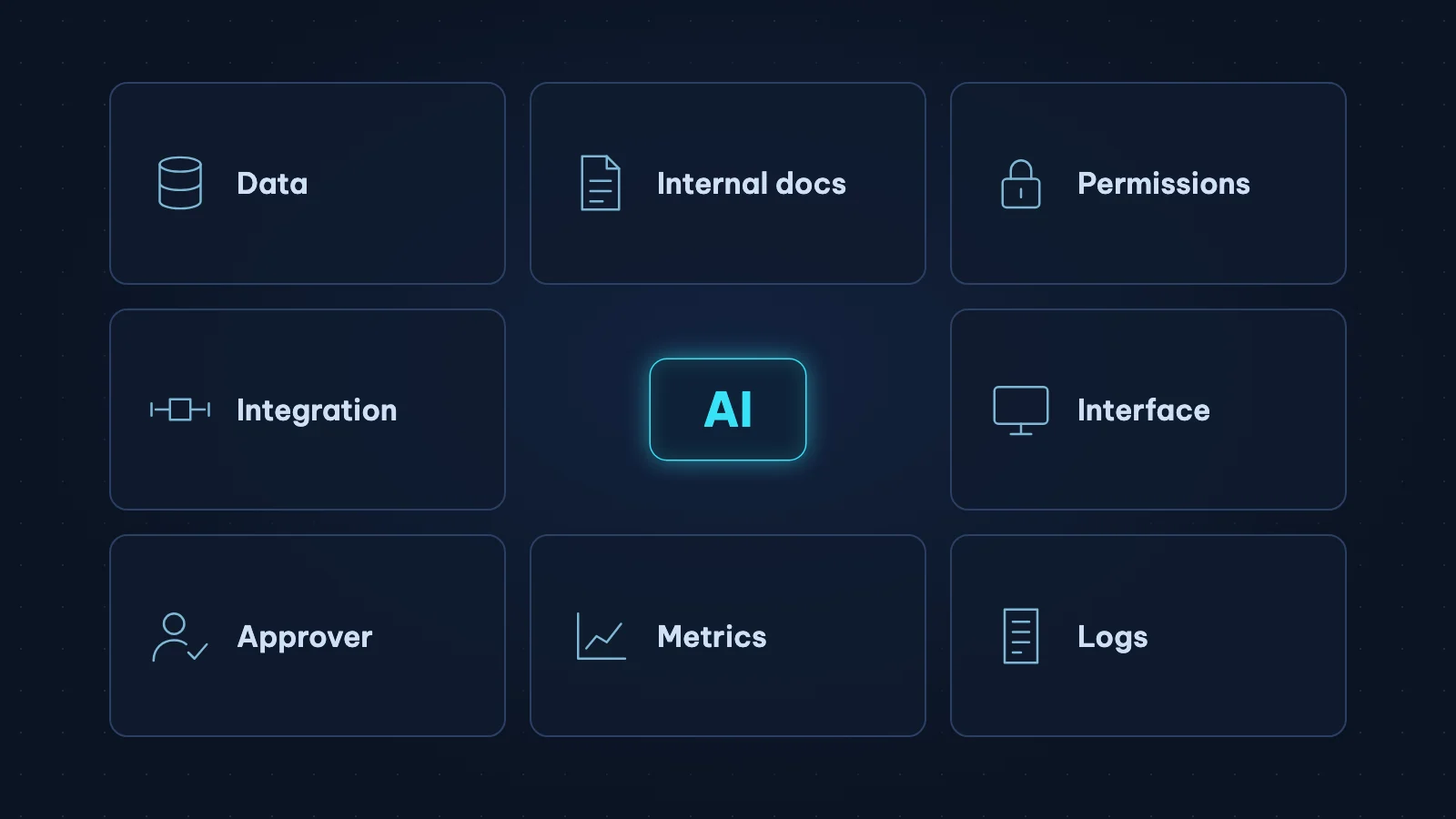
- Check access and permissions: which applications have an API or MCP, whether your current plan allows connections, and which data the AI may see.
- Pilot one process with human review: run it alongside the old way for a few weeks, keep a log of what the AI did, and measure time and error rate.
- Review license contracts at renewal: which seats are still needed, which applications can be consolidated, and how AI fees are charged.
What risks should you watch for?
The biggest risk is following the AI agent trend without knowing which process will get better. Gartner (06/2025) predicts that over 40% of agentic AI projects will be canceled by the end of 2027 due to rising costs, unclear value or weak risk controls, and warns of “agent washing”: many products are old chatbots with a new label (Gartner).
- Access rights: an AI agent connected to many applications at once can read more data than any single employee. Permissions must follow roles; do not give the AI administrator rights.
- Inconsistent data: if customer codes differ between the CRM and accounting, the AI will match wrongly. Cleaning data is usually the most time-consuming work.
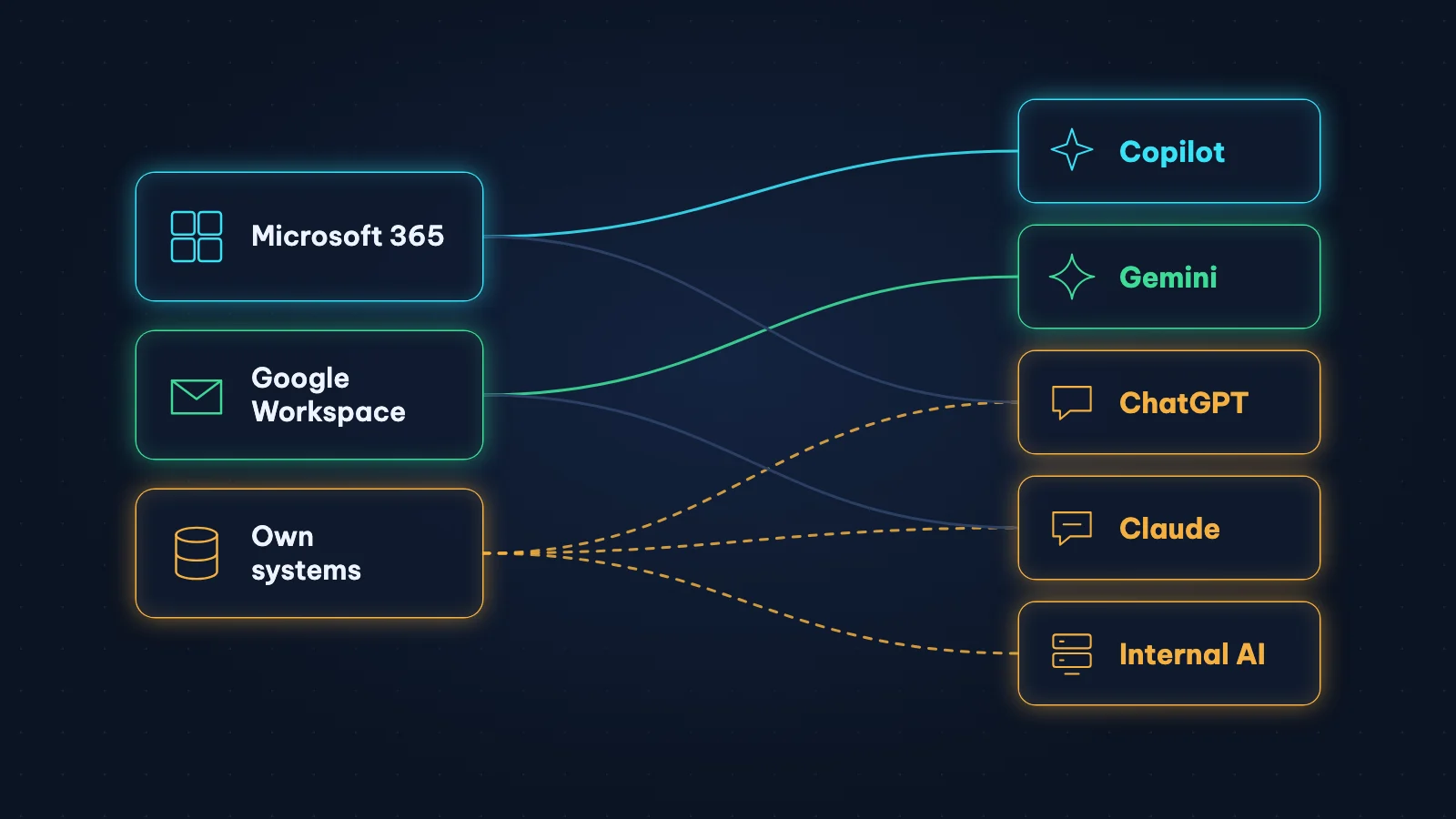
- Vendor dependence: the AI built into each application usually works only inside that application. Processes that span many applications need a connecting layer the business controls.
- No one accountable: every AI-enabled process needs a process owner who knows what the AI is doing and what it approves.
Where should a business start?
Pick one process that passes through at least three applications, takes many hours of copying and checking data, and has a measurable result. Usually that is receivables, orders, quotations, recruiting or periodic reporting. Pilot one process, measure before and after, then decide whether to expand or change software contracts.
The hard part is usually not the AI model but connecting the software you already have, setting permissions and redesigning the steps. That is why the FDE engineer model, working directly with the operations team, fits this problem. You can read more about the software needed around AI and TMI’s AI FDE service.
References
- Zylo, 2025 SaaS Management Index (01/2025).
- Windows Central, Microsoft CEO Satya Nadella foresees a disruptive agentic AI era that could aggressively collapse SaaS apps (12/2024).
- Gartner, Gartner Predicts 40% of Enterprise Apps Will Feature Task-Specific AI Agents by 2026 (08/2025).
- Gartner, Gartner Predicts Over 40% of Agentic AI Projects Will Be Canceled by End of 2027 (06/2025).
- Salesforce Developers, Salesforce Hosted MCP Servers Are Now Generally Available (04/2026).
- Bloomberg, What’s Behind the ‘SaaSpocalypse’ Plunge in Software Stocks (02/2026).
- DeepLearning.AI, Claude Cowork plugins trigger a SaaS stock selloff, but partnerships lead to slight rebound (The Batch, 2026).
- Bain & Company, Per-Seat Software Pricing Isn’t Dead, but New Models Are Gaining Steam (10/2025).
- BCG, Rethinking B2B Software Pricing in the Era of AI (2025).
- McKinsey, The state of AI in 2025: Agents, innovation, and transformation (11/2025).
If your business runs on many SaaS applications and you want to know which process to redesign first before bringing in AI agents, a short conversation with a TMI AI FDE engineer can help redraw your current process and point out where to start.
Frequently asked questions
Will AI agents replace SaaS applications?
For the next few years, mostly no. SaaS applications such as CRM, accounting and HR remain where data and business rules live. What AI agents replace is the operating work: instead of staff clicking through each screen, AI reads and writes data through connections and passes the result to a person for approval.
Why not just turn on the AI features built into each SaaS application?
The AI built into one application usually works only within that application. But the most time-consuming part of a process is often the connecting steps between applications: exporting files, matching and re-entering data. Removing those steps requires looking at the whole process, not each application on its own.
How will SaaS license costs change with AI agents?
Many software vendors are moving to hybrid pricing: still per user, plus a fee based on AI usage, according to Bain (10/2025). A business may need fewer accounts in daily use, but it will pay AI fees. Review contracts at each renewal based on the new process.
Which process should a business redesign first?
Choose a process that passes through at least three applications, takes many hours of copying and checking data, and has a measurable result, such as receivables, orders, quotations or periodic reporting. Pilot it alongside the old way for a few weeks with human review, then compare time and error rates.
Is it safe to connect an AI agent to many applications?
It can be, if permissions follow roles, the AI has no administrator rights, every AI action is logged, and people still approve risky steps. Before starting, also check whether your current software plan allows connections through an API or MCP.